
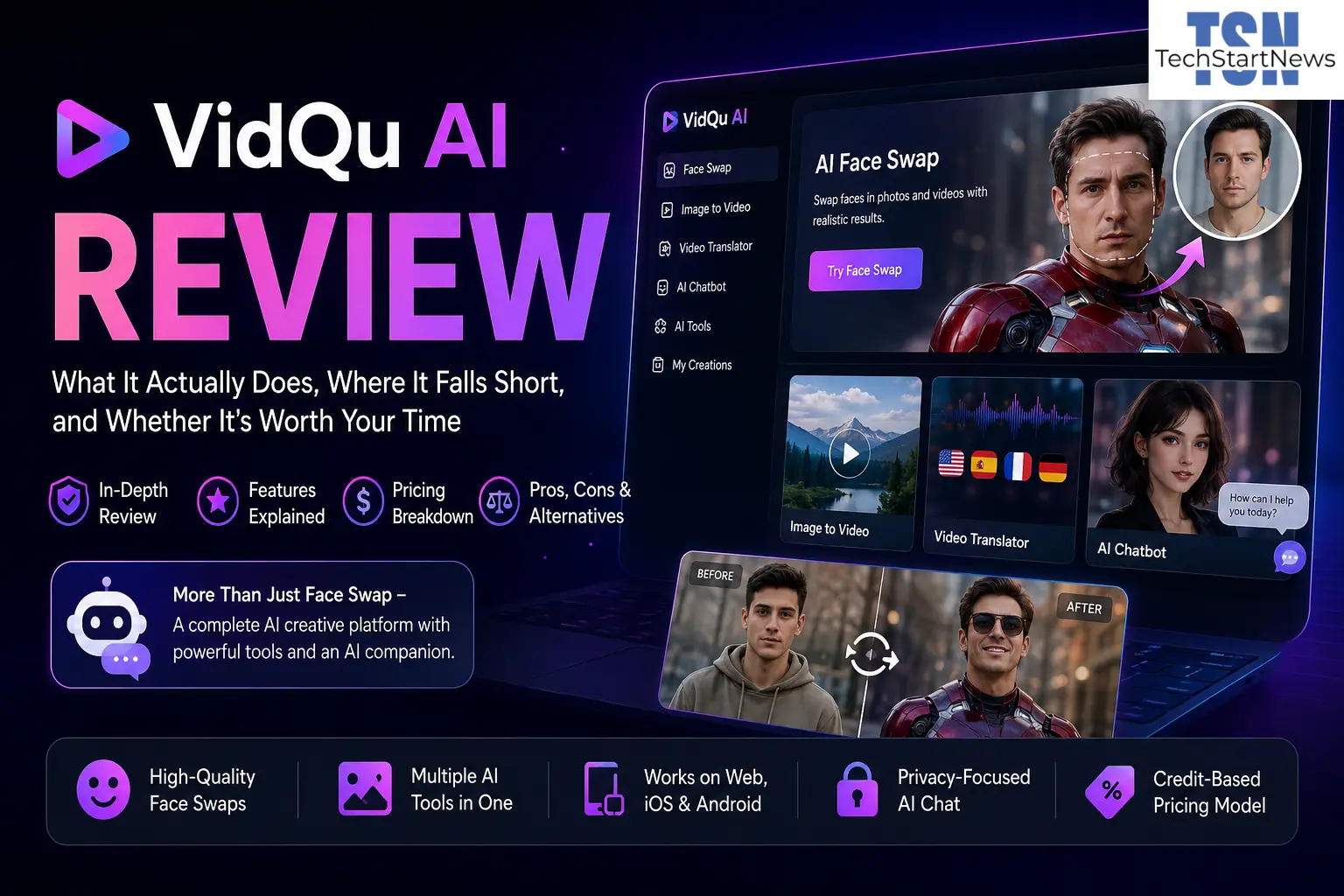
If you’ve spent any time in the AI creative tools space recently, you’ve likely bumped into VidQu AI — through an ad, a social media clip, or a word-of-mouth recommendation. The platform draws genuine attention, but most coverage is either too enthusiastic or too shallow to be useful. This review aims to fix that.
What is VidQu AI, really? Is it a face-swap novelty app, a full video creation suite, or something more layered? And — what should you know before handing it your photos, videos, and payment details?
What VidQu AI Actually Is (Beyond the Marketing)
VidQu AI is a web-based, multimodal creative platform under the MWM umbrella. It centers on AI-powered visual manipulation and content generation. Its identity sits at the intersection of entertainment and content creation, spanning face swapping, image animation, text-to-video, and an AI chatbot companion.
What makes VidQu unusual is its breadth. Most tools specialize. Runway focuses on professional video generation. HeyGen targets avatar-based business presentations. Deepswap zeroes in on face swapping. VidQu tries to be several of these things at once — which is both its appeal and its most visible limitation.
Core Features at a Glance
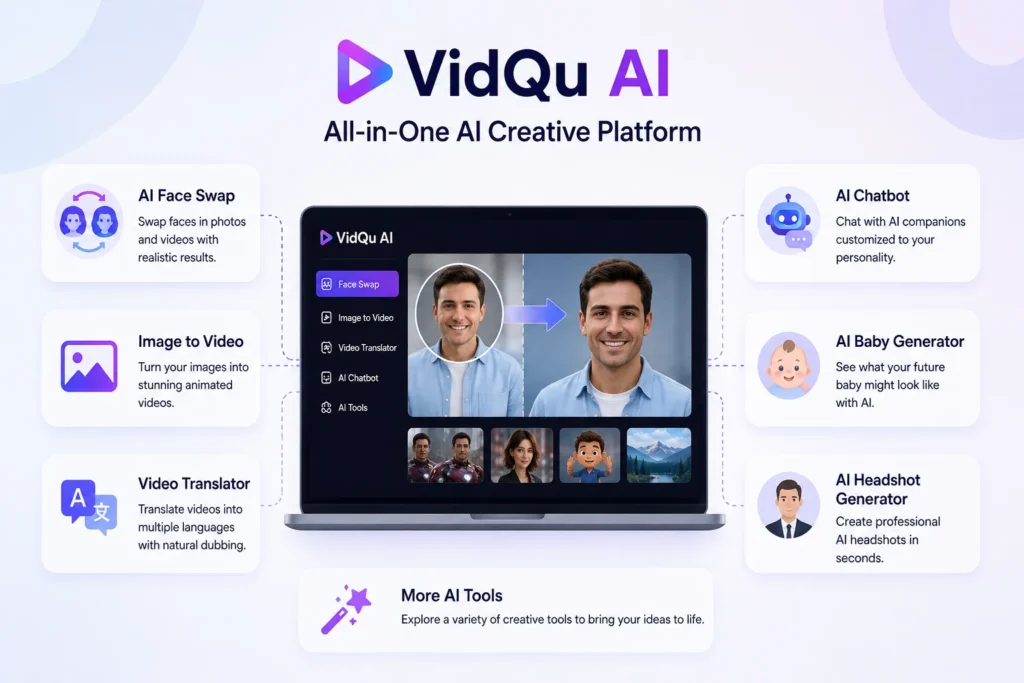
- AI Photo and Video Face Swap — Swap faces in still images and video clips, handling varied angles, lighting, and expressions
- AI Multiple Face Swap — Handle group photos and multi-person scenes
- Image to Video — Convert a still image into a short animated clip
- AI Video Translator — Translate video audio into other languages with dubbed voiceover
- AI Chatbot / “Talk with AI” — A persona-driven companion with customizable traits
- AI Baby Generator, AI Headshot Generator, Hot Character Generator — Specialized image generation for creative scenarios
The platform runs in-browser on desktop and mobile. It’s also available on the Apple App Store and Google Play, which extends its reach to casual mobile users who want quick creative edits.
The Face Swap Feature: Where VidQu Built Its Reputation
The face swap tool drives most of VidQu’s organic interest — and for good reason. The AI handles complex scenarios well. It manages faces at angles, expressions in motion, and varied lighting conditions. That puts it ahead of earlier tools that needed near-perfect frontal portraits to produce usable results.
Users report overlaying their face onto viral dance clips, movie scenes, or historical footage with convincingly realistic results. For entertainment — funny clips, personalized memes, creative content — the tool delivers on its promise.
Two Friction Points That Keep Coming Up
First, the free tier doesn’t let you download results. You complete the entire process, but the output sits behind a paywall. That’s a real difference from competitors offering watermarked but downloadable free outputs.
Second, fine-grained control simply isn’t available. Manual blending, partial face replacement, or skin tone adjustment — none of that exists here. For precision editing, you’ll need Adobe After Effects or DaVinci Resolve.
Pricing: What You’re Actually Paying For
VidQu runs on a credit-based freemium model. Different features consume different credit amounts per use. Subscriptions unlock credits, and add-on credit packs let you top up.
The Fine Print You Should Read First
Here’s the catch: credit packs purchased as add-ons stay valid only while your subscription is active. Cancel your subscription, and unused add-on credits expire at the end of that billing period — not immediately, but not saved for later either. For infrequent users, this significantly changes the value equation.
Pricing also varies by region and platform. App Store purchases often differ from web pricing. VidQu doesn’t publish standardized plan names or fixed prices the way Synthesia or HeyGen does. That opacity makes direct comparisons difficult.
For occasional users, the math often tips toward frustration. The free tier is too limited to evaluate the product properly, and subscription costs may not suit casual use.
The AI Chatbot Feature: An Underrated Dimension
Most reviews ignore VidQu’s “Talk with AI” feature. That’s a mistake — it reveals something important about where the platform is positioning itself.
This chatbot isn’t a productivity tool. It’s closer to Replika or Character.ai: a persona-driven companion with customizable personality traits and appearance. VidQu’s privacy policy states conversations are not used for AI training — worth noting, though users should read the full policy to understand what data the platform does retain.
Why This Feature Matters Strategically
The global AI chatbot market hit roughly $9.9 billion in 2025. The dominant shift is toward multimodal, visually rich interactions rather than text-only exchanges. Platforms combining visual creation with conversational AI retain users more effectively than single-function tools. VidQu sees that trend and is deliberately straddling both sides of it.
What VidQu Does Well vs. Where It Genuinely Struggles
Strengths worth acknowledging:
The breadth of tools in one interface suits content creators who want to experiment without managing multiple subscriptions. Face swap quality is competitive for entertainment-grade content. No account is required for basic browsing, which lowers the barrier for new visitors. Cross-format support — photos, videos, and GIFs — adds real versatility.
Limitations that matter:
The free tier is deceptive in a way many tools are not. You can start a project but can’t retrieve output without paying — that makes honest evaluation difficult. Advanced editing features are absent. VidQu is a creation and manipulation tool, not an editing environment. The credit expiration tied to subscription status can feel punitive for users who bank credits and then pause.
There’s also a brand confusion problem. VidQu sounds similar to Vidu AI, VidAU, and VidMage. That makes finding accurate, current reviews harder than it should be.
The Ethical Dimension You Should Think About
Any platform built around face swapping needs an honest conversation about consent. This isn’t a criticism of VidQu specifically — it applies to the entire category.
Face Swap Technology and the Deepfake Problem
The AI that makes VidQu’s results impressive is the same technology underlying deepfakes. Using another person’s likeness without explicit consent raises serious ethical and legal concerns — regardless of intent. In many jurisdictions, this creates direct legal exposure under privacy, identity, and synthetic media laws.
VidQu’s Terms of Service prohibit creating content that impersonates real people without consent or generates harmful non-consensual imagery. But enforcement depends on platform moderation, and no platform in this category has fully solved that challenge.
A Rapidly Evolving Legal Landscape
Regulatory frameworks are moving fast. China now requires explicit consent before anyone’s image or voice appears in synthetic media, under its Personal Information Protection Law (PIPL). The U.S. signed the AI Deepfake Act in 2025, signaling a federal shift toward accountability. Platforms that don’t build consent verification into the creation workflow will face growing scrutiny.
The practical guidance: use VidQu with your own likeness, or with explicit consent from anyone else you depict. Never use it to deceive. The novelty of the technology doesn’t reduce the weight of how you choose to apply it.
My Experience with VidQu AI
Testing VidQu properly took more effort than expected. The free tier is designed to keep you wanting more without delivering much — a common freemium pattern, but one that makes evaluating actual output quality genuinely difficult.
First Impressions and Interface
The interface is clean and accessible. It targets users who aren’t video professionals, and it shows. Uploading a photo and starting a face swap took under two minutes from account creation. The AI handled a roughly 30-degree head turn with minimal artifacting — a meaningful technical benchmark for this category.
Where Friction Crept In
The watermark on free exports is too aggressive to make results usable for any real purpose. More frustratingly, the paywall blocks downloading before you see the final result — not after. That structure pressures rather than informs, and it made side-by-side quality comparisons with VidMage or DeepSwap impossible without committing money first.
The chatbot feature surprised me. Persona customization was more granular than expected — it felt meaningful rather than cosmetic. Whether it has long-term depth depends on how much time you put into it. It’s not something you can evaluate in twenty minutes.
Overall Assessment
VidQu works well for users who need it often enough to justify a subscription. The credit model rewards regular use. For everyone else, test the free tier carefully and go in knowing what “free” actually means here.
How VidQu Compares to Key Alternatives
The AI visual content space is crowded. Here’s where VidQu sits relative to direct competitors:
VidMage offers free multiple-face swaps with offline Mac support and no video duration limits — a stronger free-tier option for batch processing and real-time preview.
Synthesia and HeyGen target business presentations with professional avatar options and integrations. They cost significantly more.
Runway and Pika lead in text-to-video quality for creative professionals. Their learning curves are steeper, and pricing reflects a professional-grade use case.
Deepswap focuses purely on face swapping with a simpler interface — but carries a similarly restrictive free tier.
VidQu sits in the middle: more features than a single-purpose face-swap app, less professional depth than dedicated video platforms, and a price aimed at individual creators and casual users.
Frequently Asked Questions
VidQu offers a limited free tier, but you can’t download results without paying. You can run the face swap or animation process — the output then requires credits or a subscription to retrieve. That’s different from tools offering watermarked but genuinely usable free exports.
VidQu states it doesn’t use chatbot conversations for model training. The platform does collect usage data and processes your uploaded images and videos. Before uploading your face (biometric data), read the full privacy policy. Send data deletion requests to support@vidqu.ai.
Yes. VidQu runs on iOS (App Store) and Android (Google Play), plus browser on mobile and desktop. The interface works across screen sizes.
Add-on credit packs expire at the end of your current billing period when you cancel — not immediately, but not carried forward either. Base subscription credits expire at the next billing date.
Using VidQu with your own likeness or with another person’s explicit consent is legal in most jurisdictions. Creating face-swapped content of real people without consent is ethically problematic and increasingly actionable under synthetic media laws. Always use these tools responsibly.
For entertainment-grade content — social clips, personal projects, novelty uses — the quality is competitive. It handles dynamic expressions and off-axis faces well. For professional production or fine editing control, dedicated tools with manual blending are better suited.
Yes. The AI Video Translator is one of VidQu’s less-discussed tools. It translates video audio and generates dubbed voiceovers — useful for content localization and multilingual social media.
Final Thoughts
VidQu AI holds an interesting position in the AI creative tools landscape. It’s not the most powerful platform available, and it’s not the most accessible free option in its category. What it offers is a consolidated set of visual AI tools — face swapping, image animation, video translation, AI companions — that spares users from juggling multiple specialized subscriptions.
The recommendation: if you’re a content creator, social media user, or curious experimenter who wants to explore AI visuals without a steep learning curve, a trial subscription is worth it to evaluate properly. Go in with clear eyes about the free tier, understand the credit expiration terms before buying add-ons, and use the face-swap tools only where you have explicit consent.
The broader trend VidQu is riding — multimodal AI platforms blending visual creation with conversational AI — isn’t going away. Platforms that build consent mechanisms and transparency into their workflows will earn lasting user trust. That’s the evolution worth watching.
For broader context on where AI video generation is heading, MIT Technology Review’s generative AI coverage and this regulatory analysis of AI deepfake laws by GDPR Local offer useful grounding beyond product-level reviews.
If you’ve spent any time in the AI creative tools space recently, you’ve likely bumped into VidQu AI —
Visit: Techstartnews